Windows and macOS · Free · Open source

LibrePhotos Viewer, the photo viewer for your own folders.

Open camera RAW, HEIC, AVIF and JPEG XL pictures, rate and caption them in XMP sidecars other photo apps read, and browse your folders as a timeline you can search. No account, no import, no cloud.

A preview of the LibrePhotos desktop app. Not released yet (comes after 1.6.0) Works on its own, and with your LibrePhotos server if you run one.

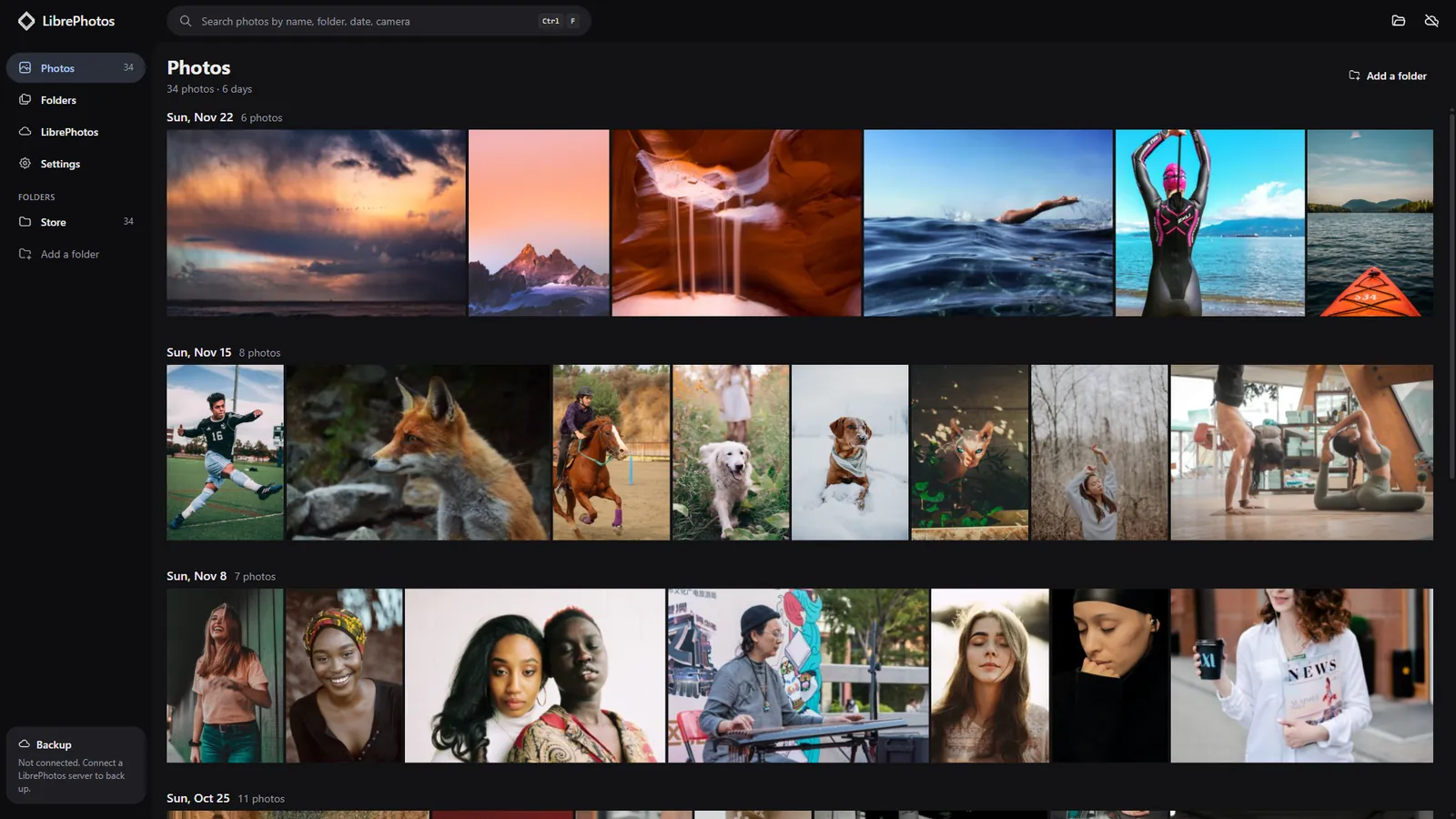
The LibrePhotos Viewer library in dark mode: a sidebar with Photos, Folders, LibrePhotos and Settings, a search field at the top, and a timeline of photos grouped by day, newest first

What it does

A viewer for the pictures a camera makes, a library of the folders they are in, and edits that stay in standard files instead of one app's database.

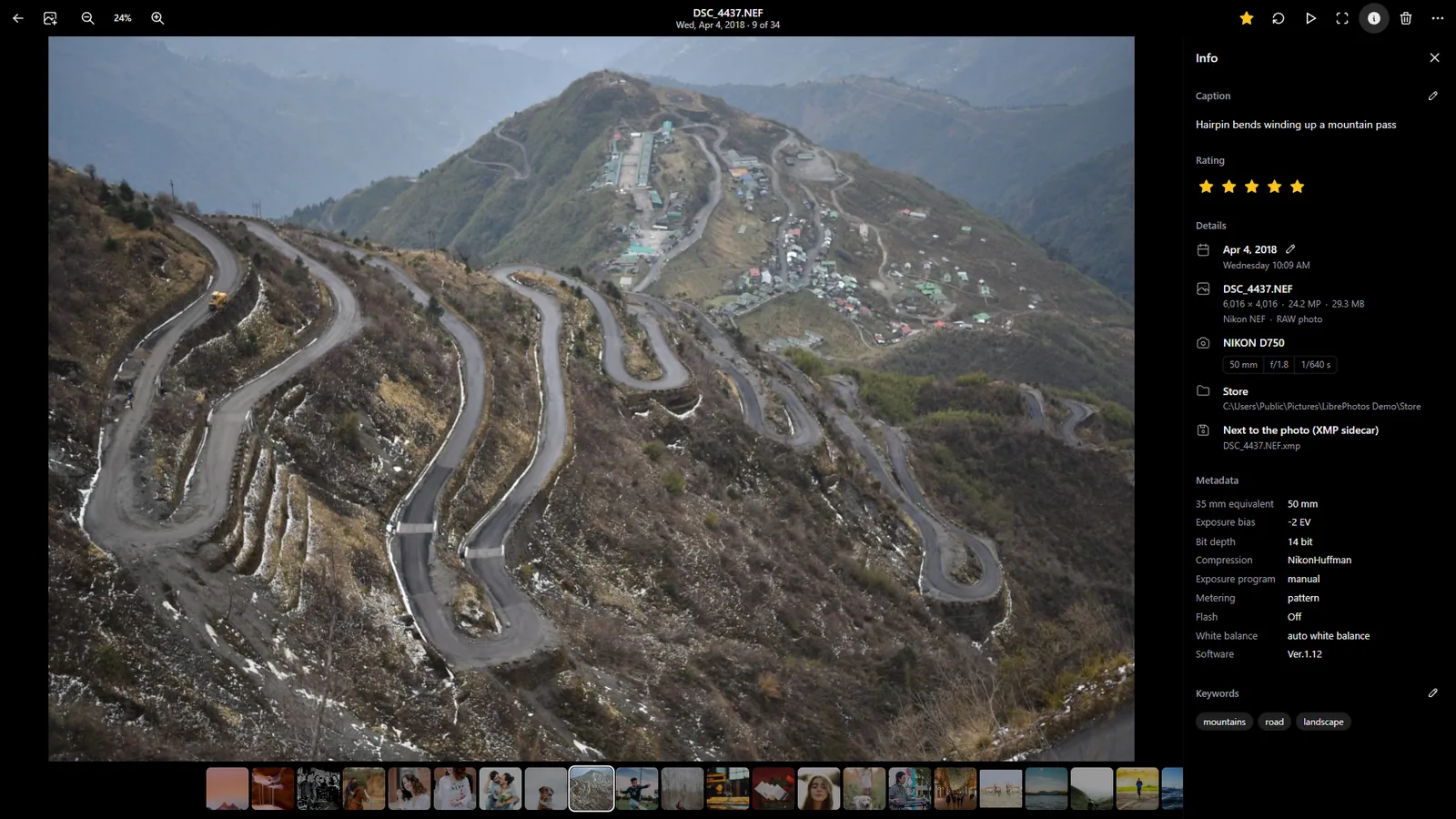
Camera RAW, with its own decoder

RAW files from Canon, Nikon, Sony, Fujifilm, Olympus, Panasonic, Pentax, Samsung, DNG and more open like any other picture, with no codec pack to install.

  • The viewer shows the preview the camera stored in the file, and develops the sensor data itself when you zoom in.
  • The Info panel lists the camera, lens and exposure, and other values from the file such as the white balance.
  • JPEG XL has its own decoder too. HEIC, HEIF and AVIF open through the image codecs of Windows or macOS.
How it works
A Nikon NEF RAW photo of hairpin bends on a mountain pass, open in the viewer with the Info panel showing the caption, a five star rating, the NIKON D750 camera with 50 mm, f/1.8 and 1/640 s, the XMP sidecar the edits go to, and keywords

Edits that other photo apps can read

Mark favourites, rate with stars, and change the caption, keywords and date taken. By default the picture file itself is never changed.

  • Edits go into an XMP sidecar next to the picture, the file LibrePhotos, digiKam and darktable read. A Lightroom sidecar that is already there is updated.
  • Everything else in an existing sidecar, such as other apps' settings, is kept.
  • You can also write into JPEG files without re-compressing them, or keep edits in the app only.
How it works
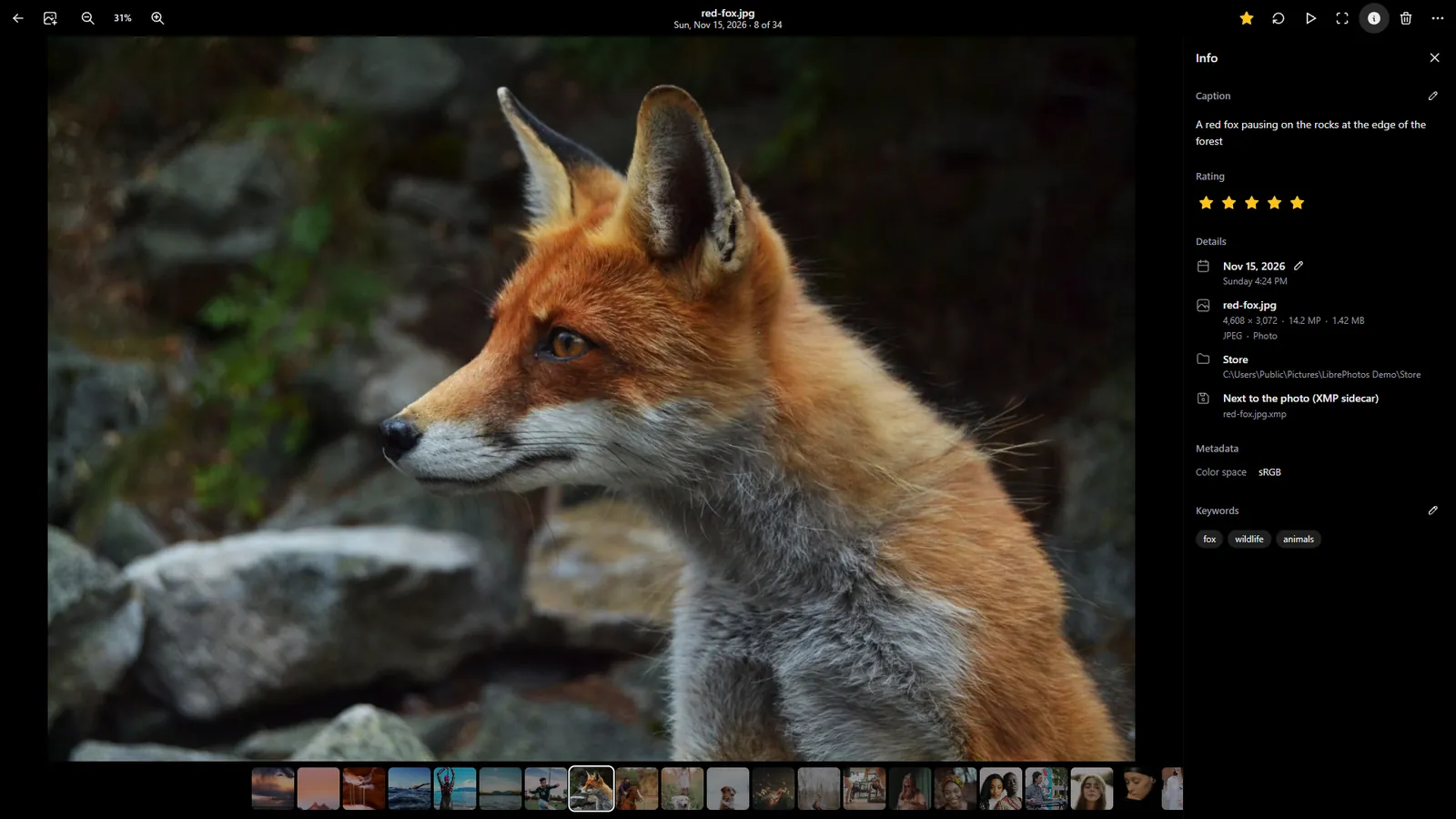
A photo of a red fox in the viewer with the Info panel open: caption, rating, date taken, file details, folder, Next to the photo (XMP sidecar) with the sidecar file name red-fox.jpg.xmp, and the keywords fox, wildlife and animals

A timeline of your own folders, and search

Add the folders you already have. Nothing is copied or moved: the library shows their pictures and videos newest first, grouped by day, and follows along when you add, change, rename or delete files.

  • Search by file name, folder, date, camera, lens, format, caption or keyword, for example march 2023 canon.
  • Every word has to match, so a few words narrow it down quickly.
  • Click a picture to open it, and move through the same list with the arrow keys.
How it works
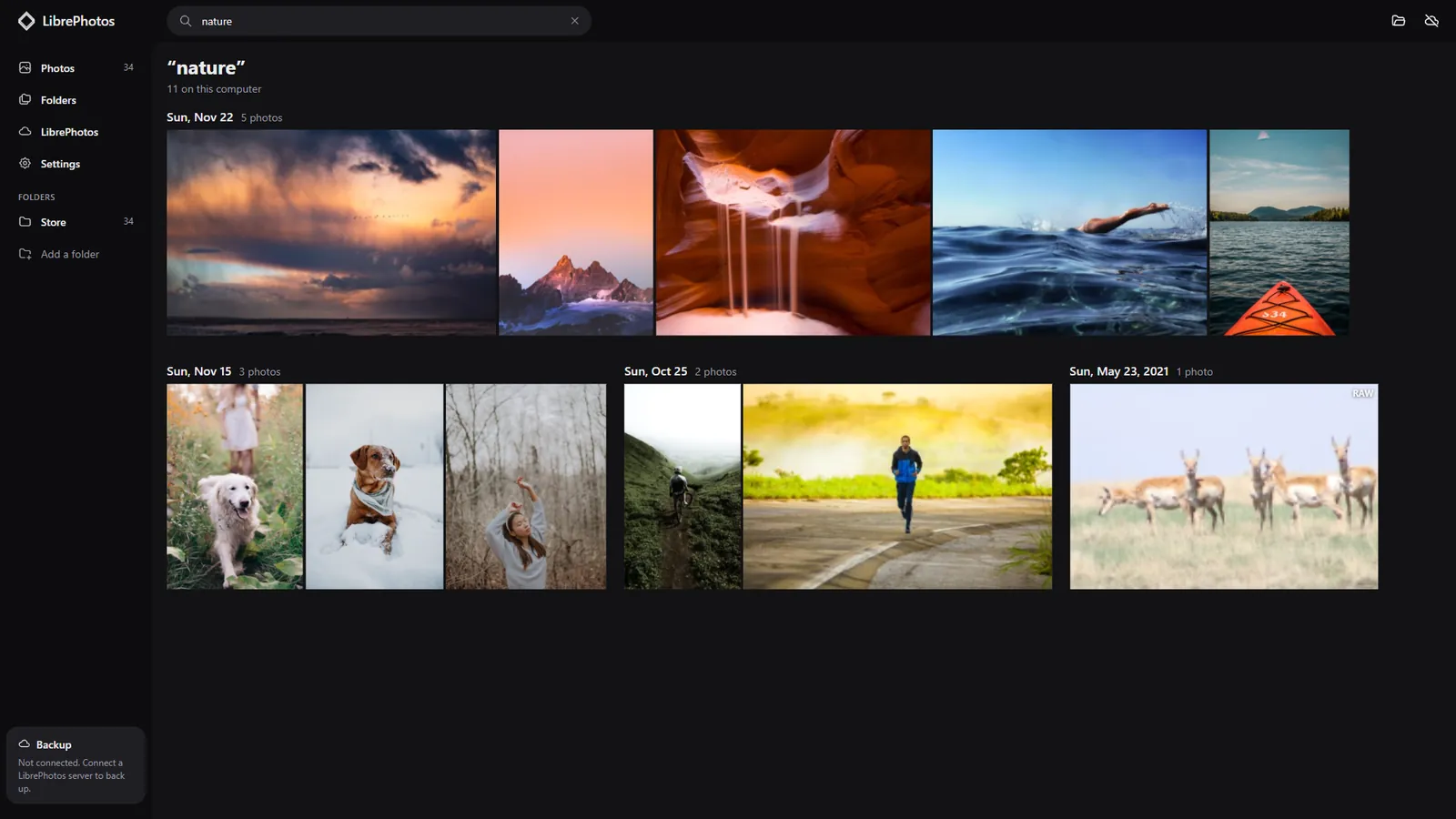
The library searched for the word nature: 11 matching photos on this computer, grouped by day, one of them marked RAW

Made for going through a folder

Double-click a picture in Explorer or Finder and the viewer opens it with the rest of its folder in a filmstrip along the bottom.

  • Zoom with the mouse wheel, fit with 0, and see every pixel at 100 % with 1. Pictures over 24 megapixels are drawn in tiles, so zooming stays smooth.
  • Rotate JPEG and TIFF files by their orientation tag, without re-compressing them.
  • Slideshow, full screen, copy to the clipboard, and Delete moves the file to the Recycle Bin or Trash.
How it works
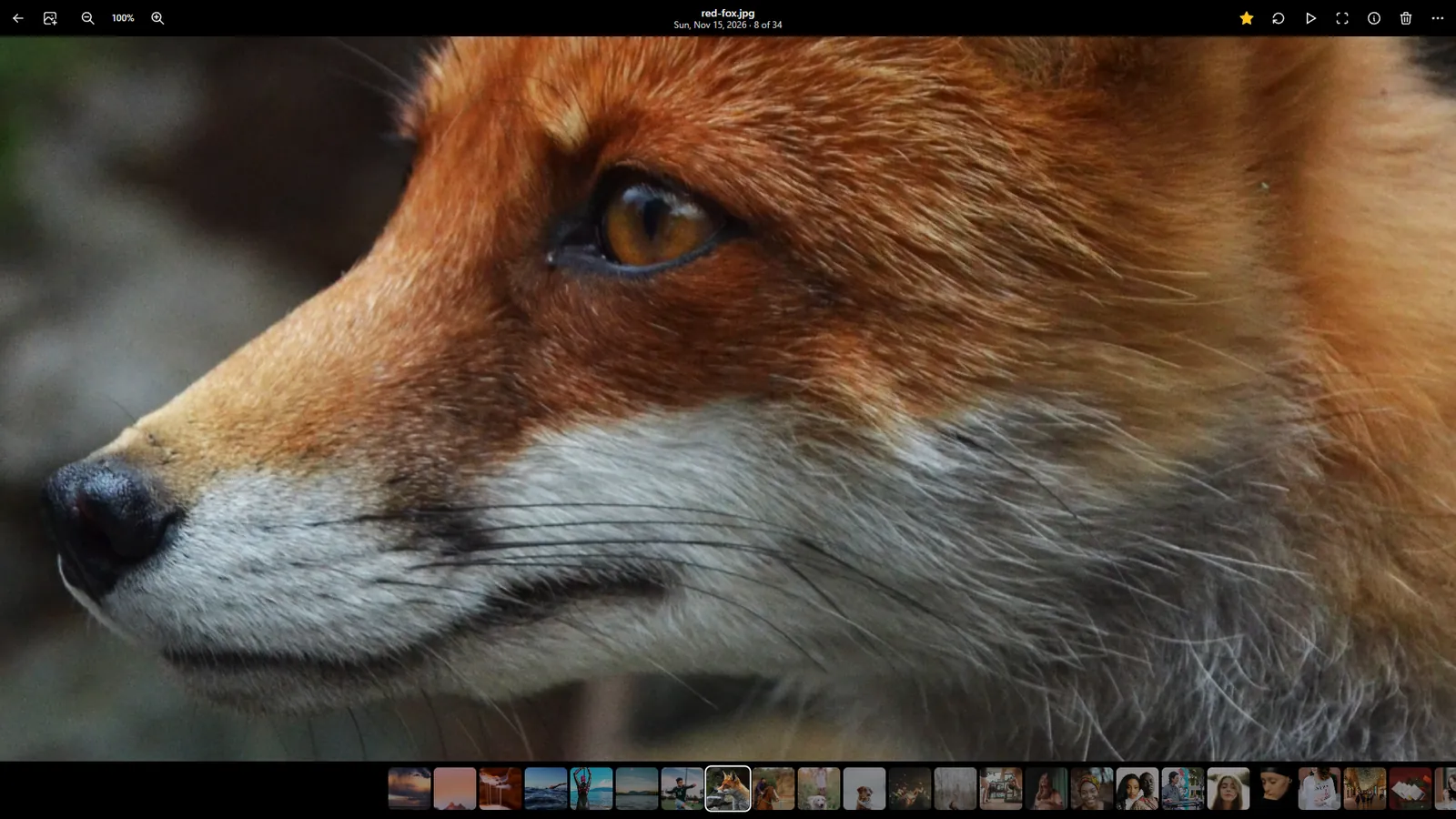
The red fox photo zoomed to 100 percent, showing single hairs of its fur, with the filmstrip of the folder's other photos along the bottom

The screenshots show a demo library of sample photos.

Optional

Works with your LibrePhotos server

The app is complete without a server. If you run LibrePhotos at home, sign in and the viewer does more.

  • Back up your library foldersEvery picture and video the server does not have yet is uploaded, and new ones as they arrive. Pictures are recognised by their content, so the ones already on the server are skipped.
  • See what the server foundFor a picture on the server, the Info panel shows the people in it, its albums, the place name and the things the server found.
  • Search bothThe server's search runs next to the local one and finds people, things, places and captions. Choose All, This computer or LibrePhotos.
  • Edits reach the serverRatings, captions, keywords and dates you change are sent to the server too. Offline changes wait and are sent when it answers again.

Connecting a server and backup

Your pictures stay on your computer

There is nothing to sign up for. The app reads your pictures where they are and only goes online for the two things you turn on yourself.

  • No telemetry, no analytics, no advertising and no account with us.
  • Your pictures, your library and your edits stay on your computer.
  • It only connects to a LibrePhotos server you sign in to, and to OpenStreetMap when you turn on the map in Settings.
  • The LibrePhotos project receives no data from the app.

Read the privacy policy

Supported formats

The full list, with every camera brand, is in Viewing pictures.

Photos
JPEG, PNG, GIF, WebP, BMP, TIFF
Opened directly.
Camera RAW
CR2, CR3, NEF, ARW, RAF, ORF, RW2, PEF, SRW, DNG and more
Decoded by the app's own RAW decoder.
JPEG XL
JXL
Decoded by the app's own decoder.
HEIC, HEIF and AVIF
HEIC, HEIF, AVIF
Through the system's codecs. On Windows, HEIC needs the HEIF Image Extensions and HEVC Video Extensions, and AVIF the AV1 Video Extension, from the Microsoft Store. On a Mac, AVIF needs macOS 13 or later.
Videos
MP4, MOV
Played in the viewer.

Download

Free and open source under the MIT license. The installer and disk image are attached to every LibrePhotos release from 1.7.0 on. Installing it has the steps and the checksums.

  • Microsoft Store

    Windows 10 and 11. Windows installs and updates it, and it needs no administrator rights.

    Get it from Microsoft Store
  • Windows installer

    64-bit Windows 10 or 11, from GitHub. The installer is not signed yet, so Windows may ask you to confirm with More info and Run anyway.

    Not released yet (comes after 1.6.0)
  • Mac disk image

    macOS 12 or later, Apple silicon and Intel, from GitHub. The app is not signed with an Apple Developer ID yet, so you allow it once in System Settings, under Privacy & Security.

    Not released yet (comes after 1.6.0)

There is no Linux build yet. To build the app yourself, see Development: Desktop app and the source code.

Questions

More answers are in the desktop app guide.

Do I need a LibrePhotos server?
No. The viewer, the library, search and editing all work without one. A server adds backup and what the server knows about your pictures, such as people and albums.
Does it copy or move my pictures?
No. The library reads your folders where they are, and removing a folder from the library leaves the files alone. By default your edits go into a small sidecar file next to each picture, and the picture itself is not changed.
Can it edit the pixels, such as crop or exposure?
No. It changes a picture's details: favourite, rating, caption, keywords and date taken. The only change to the picture itself is rotation: JPEG and TIFF files by their orientation tag, PNG and BMP files saved again without loss. Videos cannot be edited yet.
Will it become my default photo viewer?
Only if you choose it. Installing never changes which app opens your pictures. On Windows, choose Set as default photo viewer in the viewer's menu; on a Mac, use Get Info in Finder. Installing it has the steps.
Why does a HEIC or AVIF picture not open on Windows?
The app shows these through the Windows image codecs. HEIC needs the HEIF Image Extensions and the HEVC Video Extensions, and AVIF the AV1 Video Extension, all from the Microsoft Store. Many PCs come with them.
Is it finished?
It is a preview: what it does and how it looks can still change. Your edits are in standard XMP sidecars, so other apps can read them whatever happens to this one.
What does it cost?
Nothing. It is free, open source software under the MIT license, with no subscription and no ads. LibrePhotos is built by volunteers; sponsoring the project keeps it going.