Use casesPhotographers

Your RAW files, ratings and sidecars, on a server you run.

LibrePhotos indexes the folders your memory cards end up in. A RAW+JPEG pair stays one photo, the ratings and keywords you gave in digiKam, darktable or Lightroom come along from the XMP sidecars, and the changes you make in LibrePhotos can be written back to them.

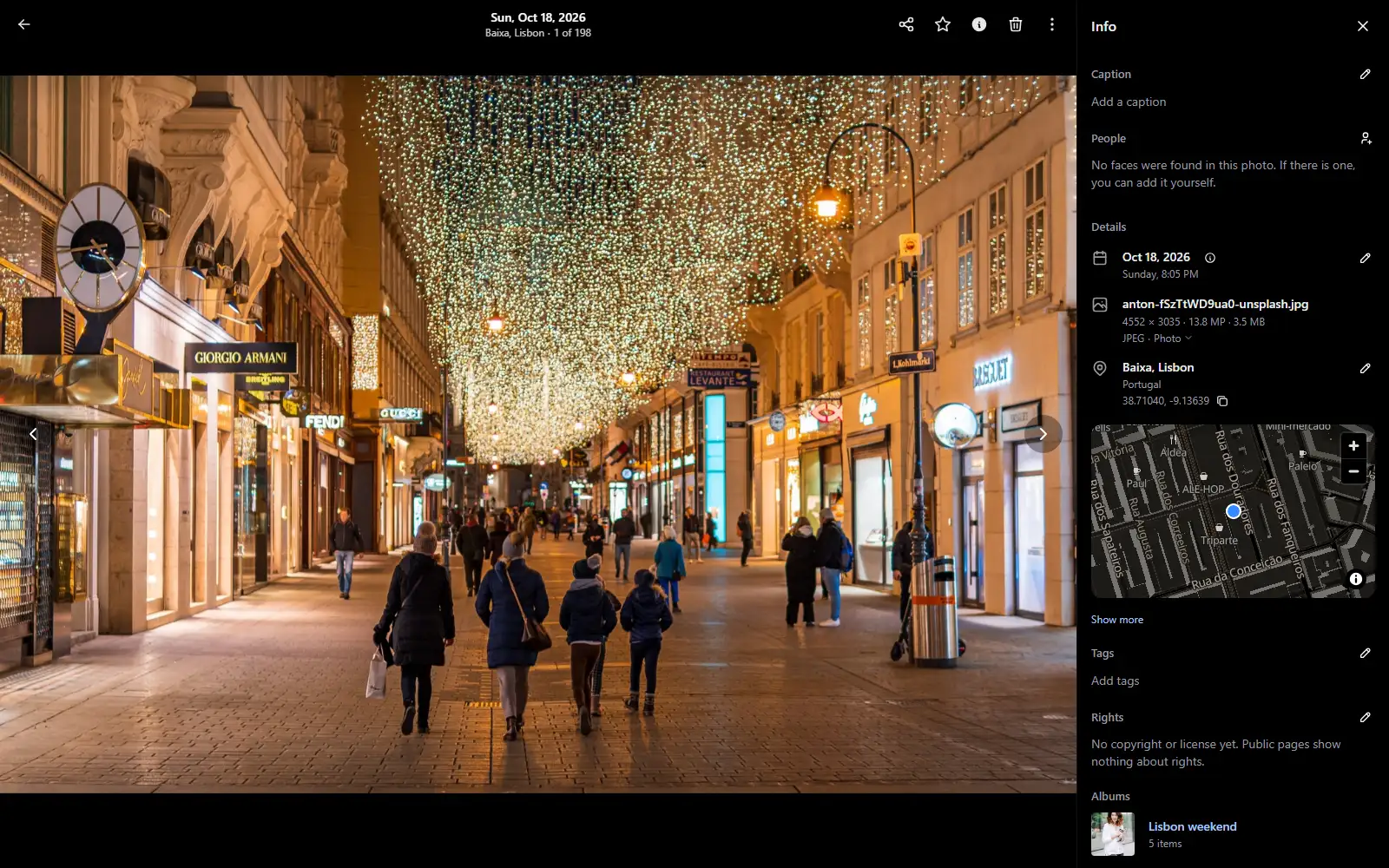
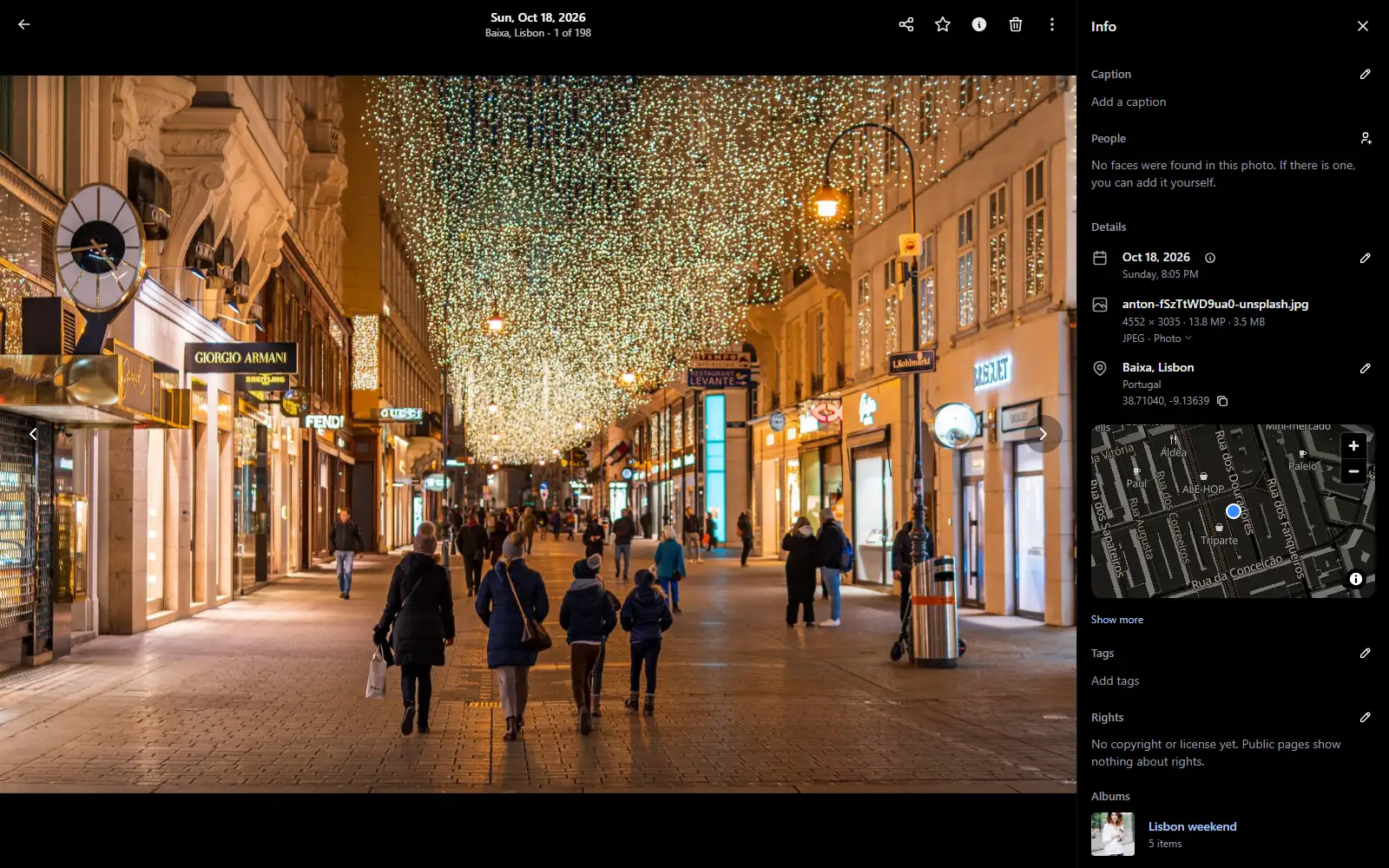
A photo open in the lightbox with its Info panel: caption, people, date, file, the place on a map, tags, rights and the albums it is inA photo open in the lightbox with its Info panel: caption, people, date, file, the place on a map, tags, rights and the albums it is in

Sound familiar?

Typical problems, put the way photographers put them, and what LibrePhotos does about each one. Every answer links to the page of the user guide that explains it in full.

I shoot RAW+JPEG, and other apps show me every shot twice.

One photo per shot, with its RAW file

When a RAW file and a JPEG have the same name in the same folder, such as IMG_001.CR2 and IMG_001.jpg, the scan makes them one photo with a RAW badge. Both files stay in your library, and a download of the photo includes every one of its files. The search filter Has a RAW file finds them.
My ratings and keywords live in digiKam. I am not doing them again.

Sidecars are read, in both naming styles

A scan reads IMG_2.xmp (Lightroom) and IMG_2.jpg.xmp (digiKam, darktable), and the sidecar of a photo's RAW file, such as IMG_2.CR2.xmp. Ratings, keywords, captions, the date, the position and named face regions in those sidecars reach the photo. Each keyword becomes a Tag.

When I change something in the browser, darktable should see it too.

Edits written back to the sidecar, if you choose

Set Write edits to files to Save to sidecar and a rating, date, rotation, caption, location, Tag or copyright you change is written to the sidecar that already exists, which keeps the other app's tags. With Write face tags to image files the named faces go there as well. It is off by default: until you switch it on, LibrePhotos never writes to your files.

I cull with star ratings, not with a single heart.

Rate with one to five stars

Set Rating style to Stars. In the photo viewer the keys 1 to 5 set the rating and 0 clears it, and the grid shows each photo's stars. It is the same 0 to 5 rating that is read from and written to the file's metadata.

I want every shot I took with the 50 mm at f/1.8.

Search by camera, lens and exposure

The search filters narrow results by camera maker, camera and lens, by ISO, aperture and focal length, by rating and by the day it was taken. All metadata in the photo viewer lists every tag ExifTool finds in the file and its sidecars, maker notes included.

Bursts and near copies bury the good frames.

Stacks and duplicates

Burst sequences are found from the file names, the capture times and the camera's burst tags, and shown as one Stack. Duplicate detection finds exact copies and visually similar photos, and lets you review each group before anything goes to the trash.

I only want to straighten a horizon, not start the RAW editor.

A photo editor that keeps the original Not released yet (comes after 1.6.0)

The built-in editor crops, straightens and adjusts light and colour, and has filters. A RAW file on its own is developed by the server from its RAW data. The edit is stored as settings next to the photo, so your file is never changed and you can revert at any time.

When I show my work, people should know how they may use it.

Copyright, creator and license

Give a photo, a selection or all your new photos a copyright notice, a creator and a license such as CC BY 4.0. They are read from the standard XMP, IPTC and EXIF fields, written back when write-back is on, and shown on public pages. Albums can be shared through a link that expires, and when an admin turns the public gallery on, you can choose to show your public photos there.

Desktop app, preview

LibrePhotos Viewer on your computer

Not released yet (comes after 1.6.0)

The desktop app opens JPEG, HEIC, AVIF, JPEG XL and camera RAW files from Explorer or Finder, and lets you rate, caption and keyword them. It saves those changes in an XMP sidecar next to the picture by default, so digiKam, darktable and the LibrePhotos server see them too. It works without a server, and when you sign in it can back up your folders to it.

It is a preview for Windows and macOS that has not been released yet. Read more on the LibrePhotos Viewer page.

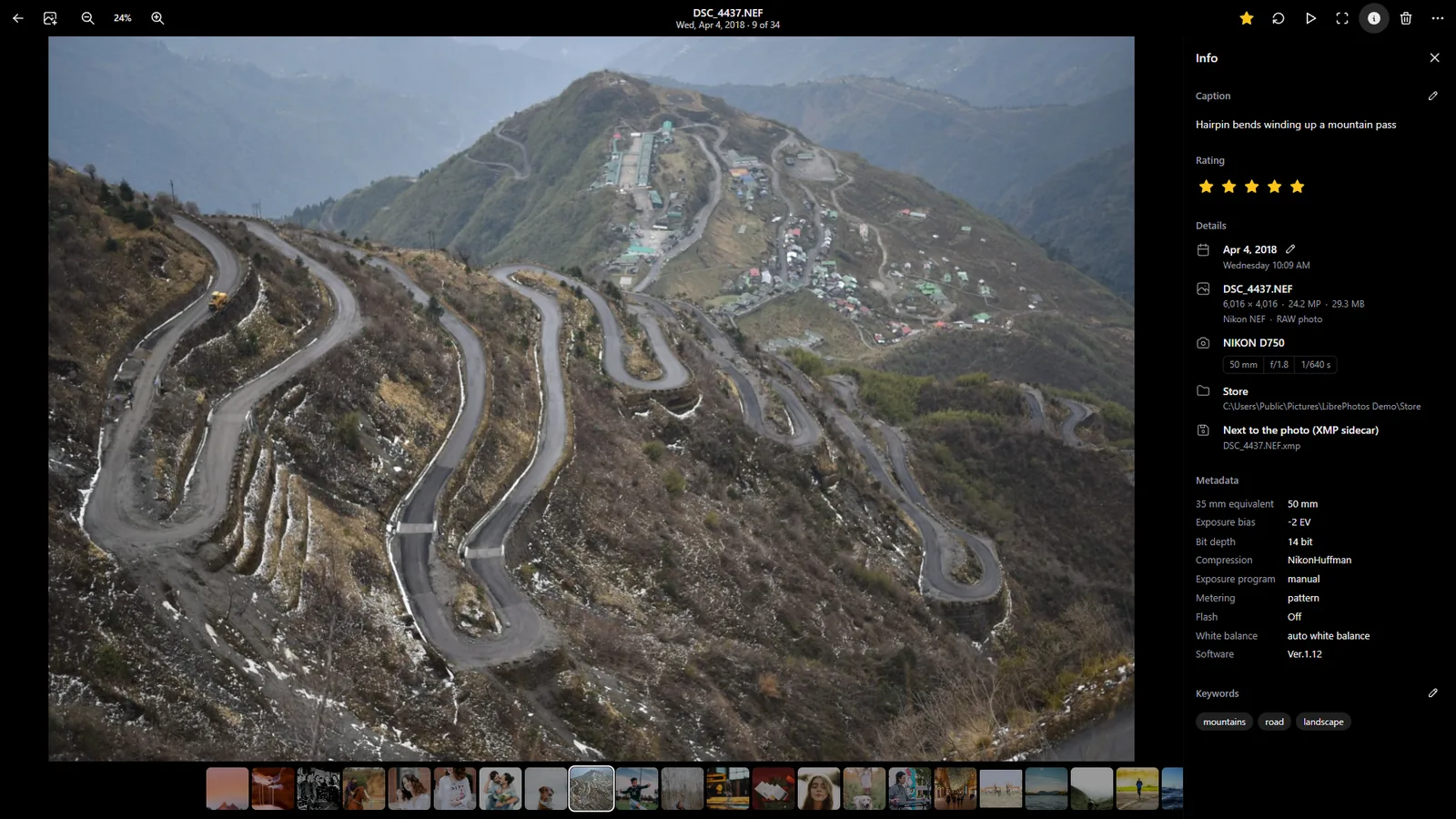
LibrePhotos Viewer showing a Nikon NEF RAW photo of a mountain road, with its Info panel: caption, five stars, the camera, lens and exposure, and a note that the edits are in an XMP sidecar next to the photo
A RAW file open in the desktop app, with its rating and caption saved in the sidecar.

A day with LibrePhotos

One way an evening after a shoot can go. Every step is something the app does today, unless marked.

  1. Evening

    Copy the card

    You copy the memory card into a dated folder in your photo library, as you always have. With Scan libraries automatically set to Every hour, the new shots appear on the timeline without a click, each RAW+JPEG pair as one photo.

  2. Culling

    Rate with the keyboard

    You open the first photo and move through the shoot with the arrow keys, pressing 1 to 5. Bursts sit in Stacks, so you look at one frame per sequence.

  3. Back in darktable

    The ratings are already there

    With Save to sidecar on, your ratings are in the sidecars, so darktable shows the same stars when you open the folder to develop the keepers.

  4. Later

    Compare lenses

    A search with the lens filter and an aperture range lists every shot with that lens wide open, across years of folders.

  5. Before bed

    Share the best

    You put the five-star shots into an album, set a CC BY-NC 4.0 license on them, and send a public link that expires in 30 days.

What LibrePhotos does not do for you yet

Better you hear it here than find out after the first scan.

  • No colour labels or pick and reject flagsPhotos have a rating and a favourite, nothing else. Colour labels from other tools are not read.
  • Keyword hierarchies are flattenedOf a hierarchical keyword only the last level becomes a Tag, so Places|USA|San Francisco adds San Francisco. HierarchicalSubject is never written.
  • Write-back needs write accessIt is off by default, and a library mounted read-only cannot be written to: the edits then stay in LibrePhotos.
  • The editor is not a RAW developerNot released yet (comes after 1.6.0) No brushes, masks or healing, no lens corrections or camera profiles, and no video editing. A RAW+JPEG pair is edited from its JPEG.
  • No GPX geotaggingGPX track files are not imported. Geotag in another tool first; the next scan reads the new position.
  • No password-protected linksPublic links can expire, but they cannot ask for a password.

Get started

Install the server on the machine that holds your photos and point it at your photo folder. The first scan only reads.

For the desktop app, see the LibrePhotos Viewer page once it is released.

Then set Write edits to files in Settings if you want your changes in the sidecars.

Questions

Does LibrePhotos change my RAW files?

Not unless you ask it to. With Write edits to files on Off, the default, it never writes to your files, and a scan only reads. Save to sidecar writes only to the sidecar. The photo editor never writes to the file either.

Which sidecar does it write to?

The one the photo already has, updated in place. When there is none it creates IMG_2.jpg.xmp. The sidecar of a RAW file next to a JPEG is read but not written; the edit goes to the sidecar of the JPEG. See Which sidecar is written.

Does it read the face names I set in digiKam?

Yes. Face regions in the MWG format (XMP-mwg-rs:RegionInfo) with a name become Faces of the Person with that name, and LibrePhotos' own face detection runs as well.

What about a RAW file that is in another folder than its JPEG?

It becomes a photo of its own. Pairs are only made from files with the same name in the same folder.

Does a download keep my edits?

A zip download holds the XMP sidecars next to their files, including the ones LibrePhotos wrote. See Sidecars in a download.

Does it replace Lightroom or darktable?

No. LibrePhotos is a library you browse, search and share from a browser. Keep developing in the tool you use; LibrePhotos reads what it writes to the sidecars.

Other use cases

All use cases

Screenshots show a sample library. Sample photos from Unsplash and others, see the credits.