Use casesSelf-hosters and homelab users

A photo server that runs on your hardware and keeps to itself.

Faces, Things, captions and search are worked out by models on your own server. Place names are looked up from a database on the server too. The connections a default install makes to the outside are listed below, with the switch that turns each one off.

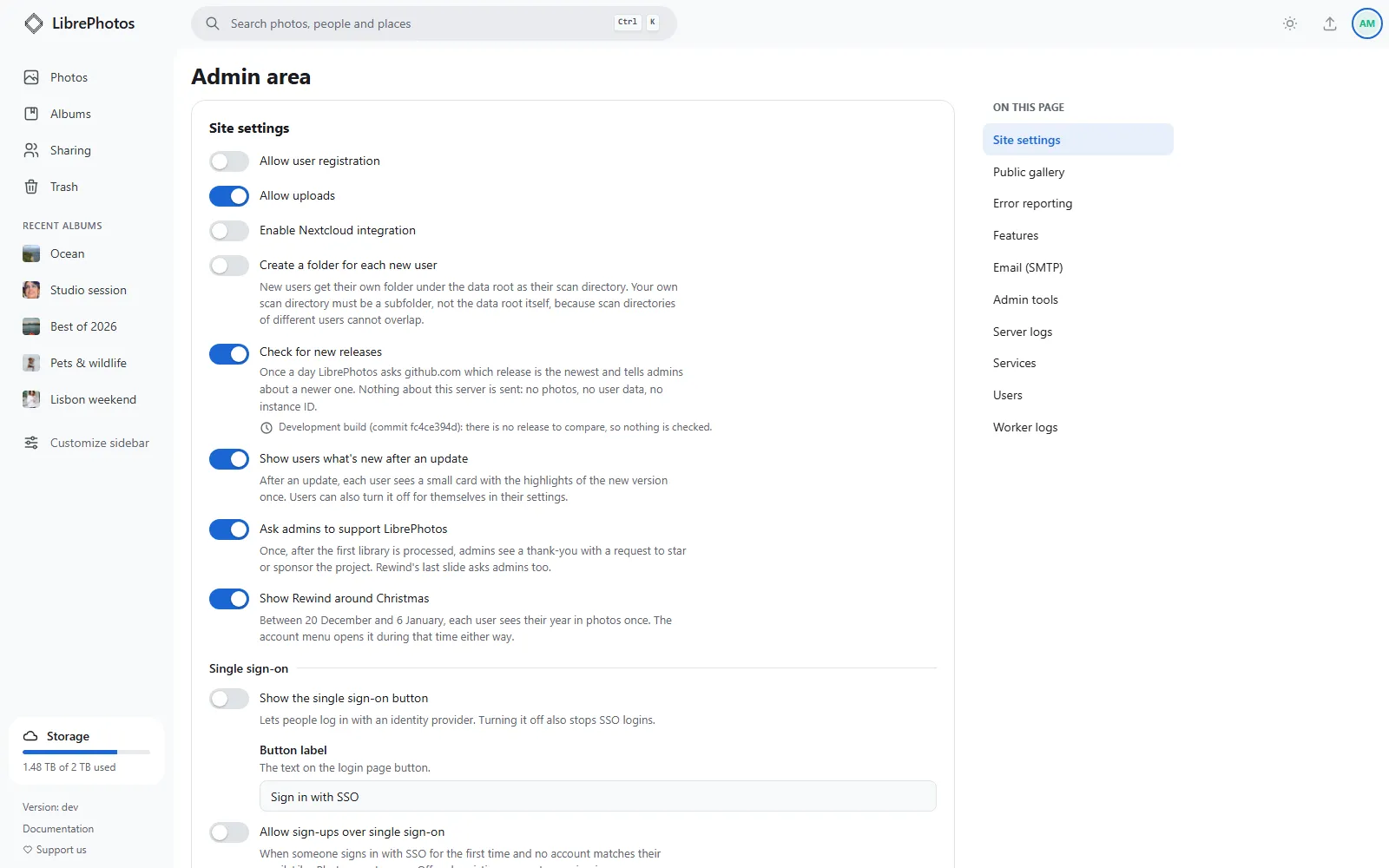
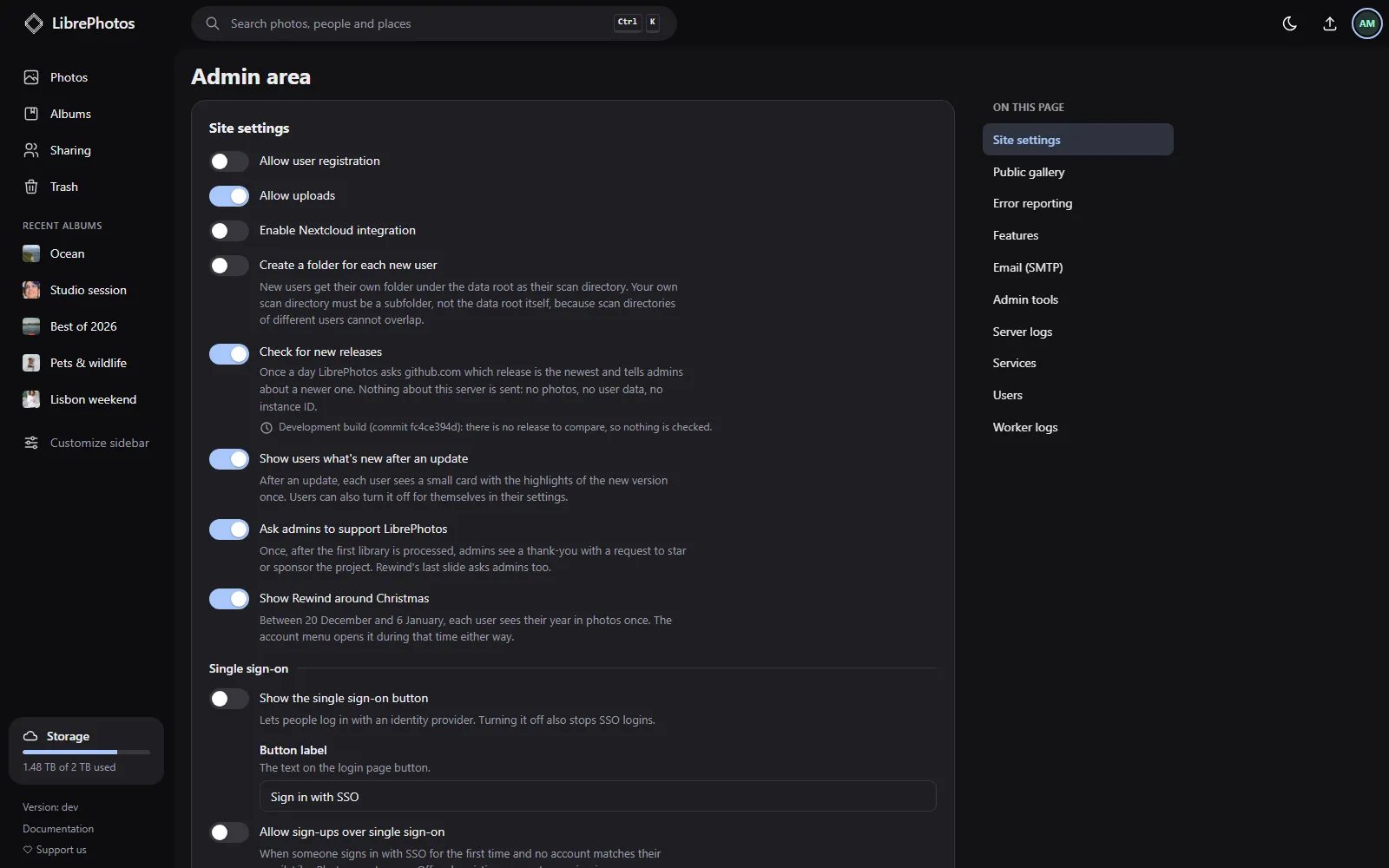
Admin area with the Site settings: switches for user registration, uploads, the Nextcloud integration, a folder for each new user and release checksAdmin area with the Site settings: switches for user registration, uploads, the Nextcloud integration, a folder for each new user and release checks

Sound familiar?

What people who run their own services ask before they install a photo server, and what LibrePhotos does about it. Every answer links to the page of the documentation that explains it in full.

No cloud. My photos and the faces in them stay on my box.

Machine learning on your server

Face detection, Things, captions, semantic search and text recognition run on ONNX Runtime inside your deployment. Once the models are downloaded, none of them needs the Internet. New installs look place names up with ExifTool's offline database, so coordinates do not leave the server either.

Tell me exactly what it sends, and to whom.

Outgoing connections, and how to stop them

  • Model downloads from Hugging Face, or none if you copy the models in by hand.
  • A daily check on github.com for the newest release, which sends nothing about your server. Switch it off in the site settings or with UPDATE_CHECK=false.
  • Map tiles, from PhotoPrism's tile server by default. Choose OpenStreetMap, or None to load no maps.
  • Place names, only if you pick an online provider such as Nominatim instead of ExifTool.
  • Nextcloud, outgoing email and single sign-on, only to the servers you set up yourself.
  • Error reports stay on your server until an admin decides to share them.

I want to run it the way I run everything else.

Your deployment, your database

One container with SQLite inside, a Docker Compose setup with a separate proxy, Kubernetes manifests, an Unraid template, or a Windows program that needs no Docker. Use the built-in SQLite or your own PostgreSQL. Images are built for x86 and ARM64.

The box is small. I do not need every model running.

Turn off what you do not use

Face detection, captions, Things and video previews each have a switch, in the site settings or as an environment variable. Face detection and captions, once off, do not start their service or download their model. Text recognition is off until you pick a model. Containers can be capped in CPU and memory.

I have a GPU in there. Use it.

Models on Intel, AMD or NVIDIA

Both the standard setup and the single container can run the models on an Intel, AMD or NVIDIA graphics card. Video conversion stays on the CPU.

Everyone already has an account in my identity provider.

Single sign-on with OpenID Connect

Keycloak, Authentik, Authelia, Zitadel and other OpenID Connect providers can handle sign-in, and LDAP accounts come in through such a provider. Password sign-in keeps working next to it.

I script everything.

API, management commands and schedules

The REST API takes JWT or Basic auth. Management commands scan libraries, create users, write metadata and back up an SQLite database. Scans can run on a schedule set in the app, or be started by a folder watcher or a cron job on the host.

My photo share is precious. I would rather mount it read-only.

Read-only works, with known limits

LibrePhotos indexes a read-only library. Writing metadata back, uploads and deleting files need write access. A metadata write that fails keeps the edit in LibrePhotos and says so; uploads and deletions fail with less helpful errors today.

A day with LibrePhotos

From an empty Compose file to the first searchable library.

  1. Setup

    Start one container

    You add the single-container service to your Compose file, mount the photo share as /data and start it. The first-time setup asks for the admin account, the site settings, where error reports go and the scan directory.

  2. Before the scan

    Switch off what you do not need

    You leave captions off on this small box, set Map tiles to OpenStreetMap, and keep place names on ExifTool.

  3. First scan

    Watch the jobs

    The scan, face detection and the other jobs show their progress under My jobs, and the Admin area lists the services and their state.

  4. Sign-in

    Hand sign-in to your identity provider

    You register LibrePhotos with your OpenID Connect provider and turn single sign-on on in the site settings.

  5. Night

    Back up and schedule

    A daily scan picks up new files, and a cron job runs the database backup command before your usual backup of the host.

What LibrePhotos does not do for you yet

What a self-hoster may expect from a photo server that LibrePhotos does not do today.

  • No two-factor authenticationThere is no second factor in LibrePhotos itself. Put it in front through your single sign-on provider.
  • No personal API keysAPI clients sign in with a username and password and get short-lived JWT tokens.
  • No object storagePhotos are read from local paths. There is no S3 backend.
  • Needs a CPU with AVXOlder processors, and virtual machines that hide the AVX flag, cannot run the models.
  • One model you cannot switch offOpenCLIP (about 600 MB) is always downloaded and its service keeps running, since it serves semantic search and similar photos.
  • No storage quotasThere is no limit on how much each user stores.

Get started

The installation guide recommends the single-container deployment for most people. It needs an x86 or ARM64 machine, and the guide recommends 4 GB of memory.

On Kubernetes, use the manifests in deploy/k8s.

Questions

Does LibrePhotos send telemetry?

LibrePhotos itself has none. ONNX Runtime, which runs the models, sends usage data to Microsoft from its version 1.29 on; LibrePhotos switches that off by default from 1.6.0 with ORT_DISABLE_TELEMETRY. See ONNX Runtime telemetry.

Can it run with no Internet access at all?

Yes. Download the models once and place them by hand, keep place names on ExifTool, set Map tiles to None and switch off the release check. Offline usage lists the steps.

SQLite or PostgreSQL?

Both work. The single container can keep SQLite inside, which suits one machine. PostgreSQL suits an existing database server or the multi-container setup. Back up SQLite with the backup_database command, PostgreSQL with pg_dump.

Can I run it on Windows without Docker?

Yes, with the Windows standalone build: one folder with the server, the web app and the models, and SQLite as the database. It is meant for one person's library on their own PC.

Is there a paid version?

No. LibrePhotos is MIT licensed, with no paid tier and no license key.

Other use cases

All use cases

Screenshots show a sample library. Sample photos from Unsplash and others, see the credits.