Connecting a server and backup
The desktop app is not released yet.
The desktop app works on its own. Connecting it to your LibrePhotos server adds backup, the server's search, and what the server knows about a picture.
Signing in
Open LibrePhotos in the sidebar, enter the Server address (photos.example.com; https:// is assumed, http:// for localhost and addresses in your home network), your Username and Password, and click Sign in. Your password is sent to your server only. The app keeps the sign-in in the Windows Credential Manager, so it stays signed in after a restart. Sign out on the same page forgets it.
Backup
Back up this library to your server on the LibrePhotos page uploads every picture and video of your library folders that the server does not have yet, and new ones as they arrive. The app recognises a picture by its content (an MD5 checksum, the same the server uses), so pictures already on the server, uploaded from your phone or scanned from a server folder, are not uploaded again.
The page shows how many files are on the server, how many are Only on this computer, and the uploads under way. Pause uploads stops uploading (checks go on), and a failed upload can be retried. Uploads continue where they stopped after a restart. Uploads run while the app is open.
To upload one picture, also one outside the library, choose Upload to LibrePhotos in the viewer's ⋮ menu or in the info panel.
Uploading must be allowed on the server (Allow uploads in the admin settings), and your user needs a scan directory.
What the server adds to the viewer
For a picture that is on the server, the info panel also shows:
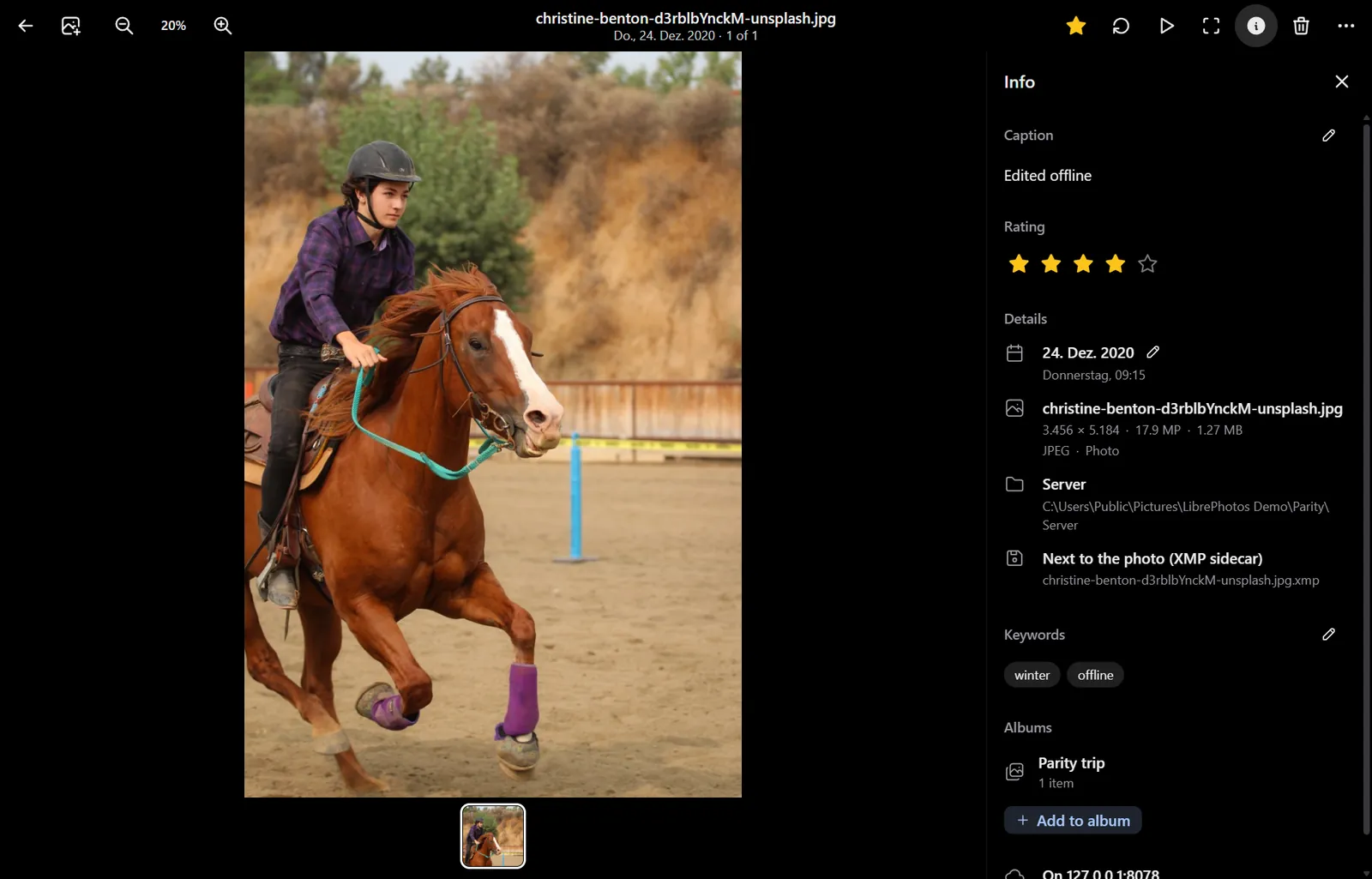
- People: the names of the people the server recognised in it.
- Albums: the albums it is in, and Add to album, which adds it to one of your albums or makes a new one.
- LibrePhotos: the place name and the things the server found in it.
Your edits to its favourite, rating, caption, keywords and date taken are sent to the server too, see Pictures on your LibrePhotos server.
Without a connection, or for a picture the server does not have, these parts are hidden.